
CATEGORY REFERENCE

autohoki app for Android and iOS

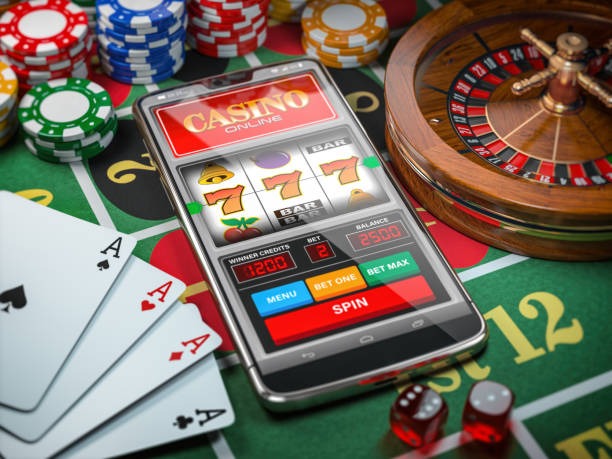
autohoki gives you a phone-first Casino app with slot rooms, live tables and sportsbook slips ready from one screen. Open your account, install the app and jump into...

AndroidiOSAPK 30MBPush alertsFingerprint login
autohoki autohoki app for Android and iOS
autohoki What the mobile app adds

What the mobile app adds

Our app is built for quick sessions on your phone, not a smaller copy of the web page. You get push notifications for account activity, fingerprint login after setup, quicker return to favourite slot rooms, and a betslip that stays easy to reach while you move through sportsbook markets. Quick deposit access is included for supported regions, so DANA, OVO, GoPay and

QRIS can sit inside the same account flow without taking over the app experience.

Fast controls inside the app

The app keeps common actions close to your thumb. You can open, switch, check and return without digging through menus.

Biometric entry

Set fingerprint or face unlock after your first sign-in, then return to your account without typing every time. We still keep password recovery available if your device access changes.

Push alerts

Choose alerts for login activity, promo board changes and account updates. The app keeps them short, so you can decide whether to open the lobby or leave it for later.

Dark mode

Switch to a darker app view for late sessions or low-light rooms. Menus, slot cards and sportsbook slips stay readable without forcing a bright screen on your eyes.

Fast lobby return

Your recent slot rooms, live tables and sportsbook areas stay easy to reopen. The app helps you continue from your last section instead of starting from the home screen.

Offline lobby preview

When your connection drops, saved lobby tiles can still show what you opened recently. You will need connection again before account actions or live sections refresh.

Thumb-friendly layout

Buttons, tabs and filters are arranged for one-hand use on common phone sizes. You can move between Casino, slots and sportsbook areas with fewer taps.

autohoki Install the app in 3 steps

Install the app in 3 steps

Start from autohoki.app on your phone and follow the install prompt for your device. Android may request APK permission before opening. iOS uses the browser install flow where supported. Once the icon appears, open the app and sign in with your account.

  • Download the app
  • Allow installation
  • Open the icon
  • Sign in safely

Phone support and supported regions

Most current phones can run the autohoki app smoothly. Check the device basics before installing, especially storage and operating system version.

Auto-refresh hourly
autohoki Android version

Android version

92%

Android 8.0 or newer is recommended.

autohoki iOS version

iOS version

97%

iOS 14 or newer is recommended.

autohoki Memory

Memory

96%

At least 3GB RAM helps live sections load cleanly.

autohoki Storage

Storage

95%

Keep 150MB free for install and updates.

autohoki Regions

Regions

94%

Access depends on supported regions and where local law permits.

RTP percentages are informational reference values from provider documentation. Actual session outcomes vary.

PHONE-FIRST

Screens you can open quickly

The app is arranged around the screens you reach most often. Open the lobby, check your account and return to live sections without losing your place.

Live lobby preview
Quick betslip
Account access
Slot favourites
Promo board
Secure sign-in
autohoki mobile gaming
Google Play App Store
SUPPORT

Help when the app needs attention

If the app stalls, fails to install or signs you out, you can contact us from the same device. Keep your account name ready.

App support chat Open chat from the app menu when you can still sign in. Send your device model, app version and what happened, so our team can check faster.
Email help If the app will not open, email us from the address on your account. Add screenshots where possible and tell us whether you use Android or iOS.
Install assistance Use this path when APK permission, iOS shortcut setup or update prompts feel unclear. We will point you to the correct install step for your phone.
REVIEW SIGNALS

How we protect app access

We keep app access focused on your account, your device and our own download path. Install only from autohoki.app to reduce avoidable risk.

Signed app file

Our Android package is signed so your phone can recognise the app source during install. If the file name or prompt looks unusual, return here before continuing.

Direct download path

We do not ask you to hunt through third-party stores for the app. Start from autohoki.app, then follow the device prompt shown on your screen.

Account recovery

If you change phones, recovery starts from your account credentials and registered contact details. Biometric login can be enabled again after your new device is confirmed.

Session checks

The app watches for unusual sign-in changes and may ask you to confirm access again. This helps protect your account when devices or networks change.

Update prompts

When an app update is ready, we point you back to our download path. Keeping the current build helps lobby screens and account tools work properly.

Clear permissions

The app only asks for permissions tied to account access, alerts and install behaviour. You can review device permissions in your phone settings after setup.

App experience against mobile browser

The mobile browser still works, but the app is quicker for repeat access. If you visit often, installing saves taps every session.

Launch speedThe app opens from your phone icon and can keep recent screens closer. A browser session may require extra tab checks, reloads or address entry.
Login flowWith biometric access enabled, app entry feels shorter after your first sign-in. Browser login depends more on saved passwords, cookies and how your phone handles tabs.
AlertsThe app can send push alerts for account activity and selected updates. A browser usually needs you to return manually before you notice the same changes.
Screen layoutApp buttons are arranged for phone use from the start. Browser pages must fit different tab bars and address bars, which can crowd the lobby.
Betslip accessThe app keeps sportsbook slip access close while you move through markets. In a browser, page refreshes or tab changes can slow that movement.
Return pathRecent app sections are easier to reopen from the home icon. Browser access depends on history, bookmarks or whichever tab you left open last.
QUICK SIGNAL

Daily app highlights for your phone

Use the app when you want the lobby close without keeping a browser tab open. It is built for short returns and smooth switching.

Slot favourites Mark the slot rooms you return to often and keep...
Live table access Move from lobby card to live table area with fewer...
Sportsbook slip Build and check your betslip while browsing markets on your...
Account panel Your profile, security settings and balance view sit inside one...
Promo board See what is running this week from the app menu...
Connection recovery If your network flickers, the app is designed to recover...

Mobile app questions before installing

Yes, we support Android through an APK flow and iOS through the supported browser install path. Open autohoki.app on your phone and follow the button shown for your device.

No. Use the same autohoki account you use on the mobile browser. After your first app sign-in, you can enable biometric access if your phone supports it.

The APK is designed to stay light for everyday phones, around 30MB before updates. Keep extra storage free so future app builds can install without errors.

Yes, you can allow push alerts for account activity and selected lobby updates. You can switch them off anytime from your phone settings or inside the app menu.

Check storage, Android install permission and your connection first. If it still fails, contact app support with your phone model, system version and the message shown on screen.

Use only our autohoki.app download path and avoid copied APK files from other sources. We sign the app file and update it through our own install flow.